Instructions and exports
Render
A picture of the model worth keeping, a turntable, an animation of its motions or a video of it being built, in its own light.
Render makes a picture of the model worth keeping, a turntable, an animation of one of its motions, or a video of it being built. It is File › Render… (F9), or the camera on the toolbar.
Render a picture
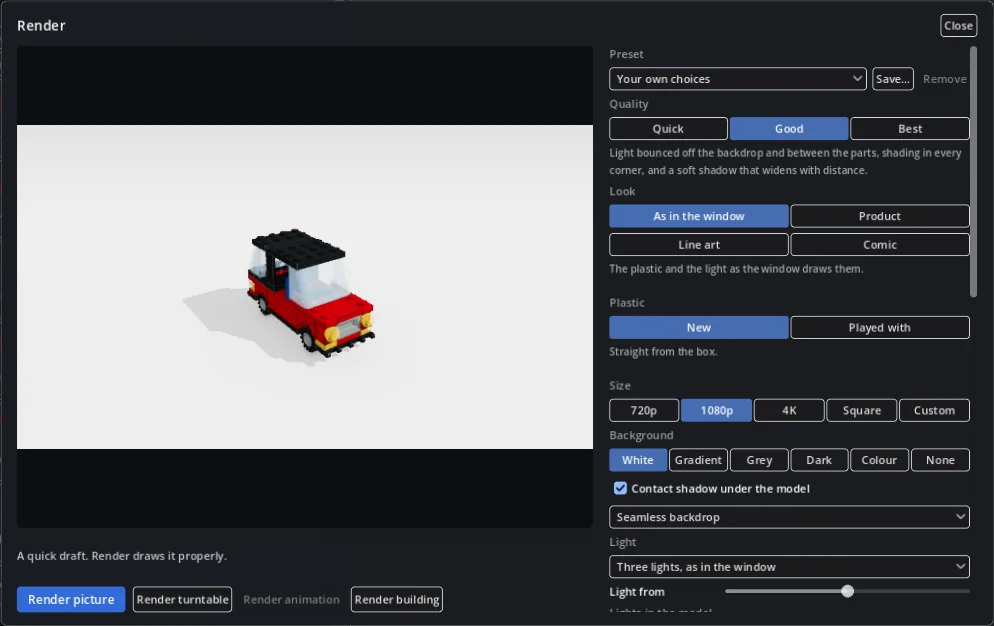
- Press F9. The quick draft on the left is drawn again whenever a choice changes, so what comes out is what you see.
- Make your choices on the right (below).
- Press Render picture, or Enter. Cancel or Esc stops it; when it is done, it downloads. In the desktop app it goes into your Downloads folder, and never over an earlier one: with
pods_render.pngthere, the next ispods_render_2.png, and the status bar says the first is kept. A turntable, an animation and a building video are kept the same way.
The choices
| Choice | What there is |
|---|---|
| Preset | Your choices kept by a name on this device: Save… names them, choosing the name puts them all back on any model, Remove forgets one |
| Quality | Quick, Good, or Best (below) |
| Look | As in the window, Product, Line art or Comic (below) |
| Size | 720p, 1080p, 4K, Square, or Custom |
| Background | White, Gradient, Grey, Dark, a Colour, or None (transparent); a contact shadow if you like; and what the model stands on |
| Light | Three lights, as in the window; a photographed studio, window light or daylight; or Dark, only the model's own lights. Light from turns it round. |
| Camera | Three-quarter like the box, the view you are looking at, front, side, back three-quarter, low looking up, from above, or a view saved with the model; and the Lens, 18 to 200 mm |
| Depth of field | Off, or f/16 to f/2, at Best |
Best
Best averages many frames for soft shadows, smooth edges, shading under every ledge and depth of field. Best's frames sets how many: As this device does best is 32 in a browser.
Product
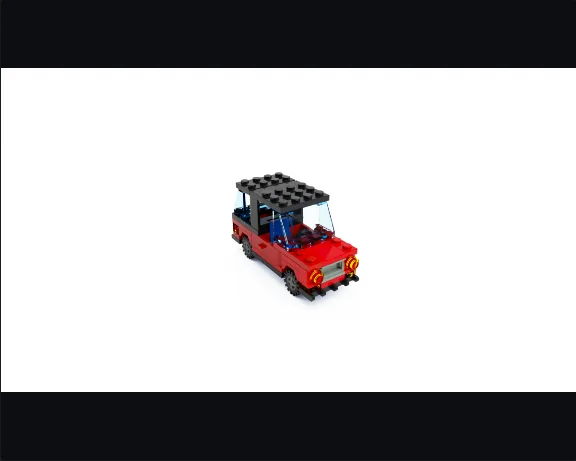
Product draws the model as a set's box does: glossy plastic, rounded edges, clear parts you see through, a studio's light, every colour true. At Best it is finished as a camera finishes a photograph: white-balanced on a white card where the model stands, with a camera's gentle tone curve. On white or paper it is exposed bright, as a product photograph on white is, so white parts are nearly as white as the paper; on a table or a desk the light is kept as measured.
New or played with
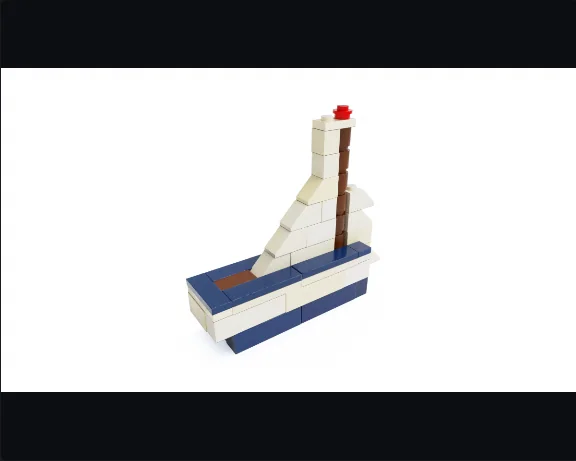
Under Plastic, New draws the parts straight from the box, and is what Render starts with. Played with draws a set that has been played with for years: whites and greys a little yellowed, each part its own amount, a little dust on the tops, finger marks where hands hold it, and each part seated its own way. It changes only the picture, at Best in the Product look, never the model. Where Best is not path traced, Best's own frames draw it too: the same yellowing, dust, finger marks, scuffs and seating, without the traced picture's reflections.
What it stands on
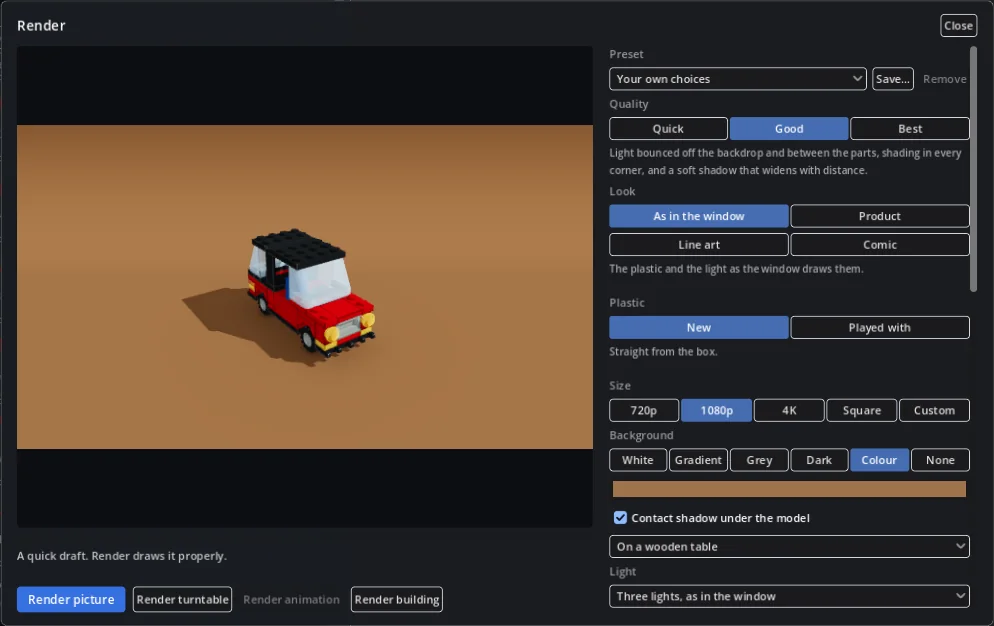
Under Background, the model can stand on something real rather than a studio's seamless paper: Photographed on white, On paper, On a desk, On a wooden table, On a leather desk pad or On terrazzo. Choosing one puts its colour on the backdrop, and you can change that colour after.
At Best, in the Product look, a staged picture is lit as a photograph is: by a soft light standing near the model rather than far away, so the side nearer it is lighter and the surface darkens away from it. The wood, the leather and the terrazzo show their own grain, the model's shadow falls on it, and past a table's far edge is the room, out of focus.
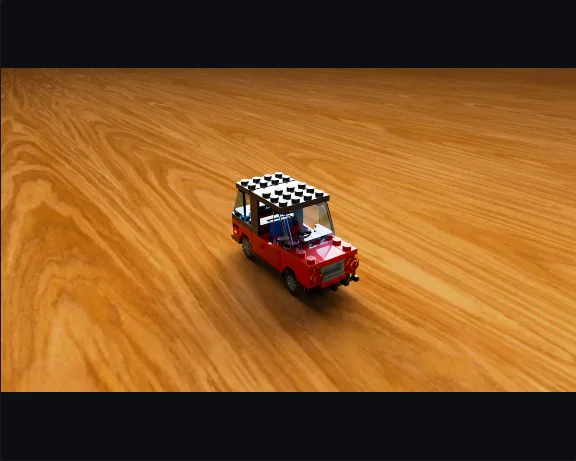
On a desk, a table, a leather pad or terrazzo, a large bright light stands behind the model, as a window or a softbox behind a photographed model does. Glossy tops mirror it, so a black brick's top shines nearly white while its sides stay dark, the way they do in a photograph. It rises with the camera, so a top seen from high up still catches it. It lights the table without shining in it, so the wood, the leather and the terrazzo keep their own colour. On the seamless paper the studio's own lights are kept, and the paper is a product photograph's: white wherever nothing shades it, glossy enough to mirror the model faintly, and its shade under the model cool and tinted by the parts' colours.
Wherever Best is not path traced, a staged picture is drawn on the stage's colour alone.
Line art and Comic
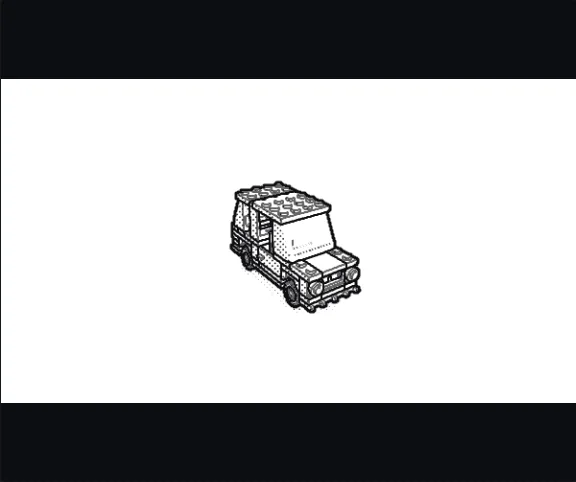
Line art inks the model: black lines on white, thickest round the outline and thinnest round a stud or a print, with the shade in halftone dots. Comic puts the same lines and dots over each part's own colour. Both are sharp at any quality; with the background None, the drawing goes over anything.
Lights in the model
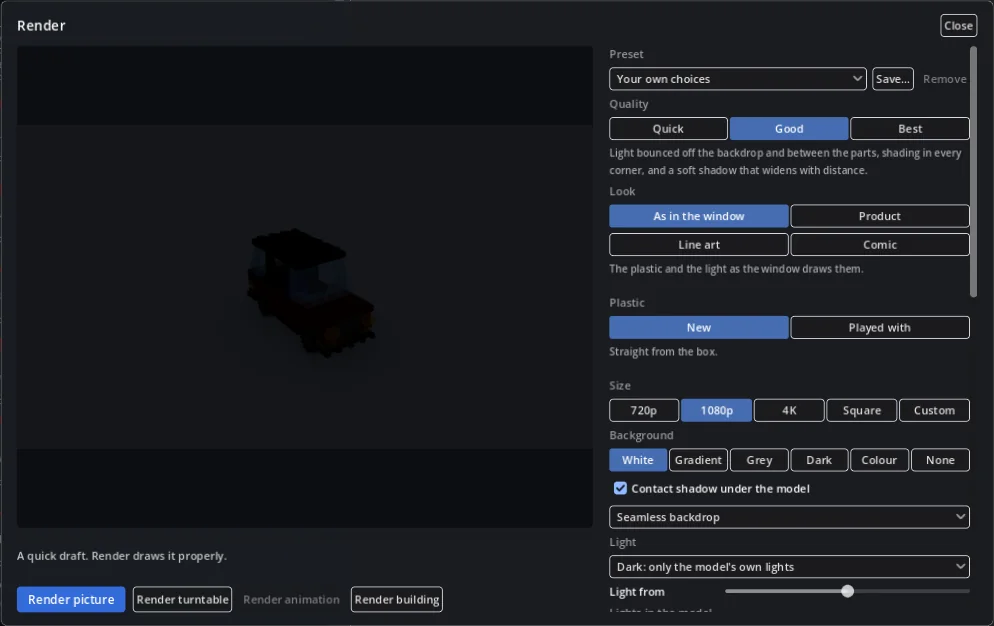
A model can keep up to eight lights of its own: a spot over a cockpit, a bulb in a lamp post, a low sun.
- Select the parts to light, or nothing for the whole model.
- Under Lights in the model, press Add: Bulb, Spot, Sun or Light panel. It is hung over them as a photographer first sets one.
- Set its colour, Strength, a spot's Cone, its Size and Shadows. From where I look moves it to where the window's camera is, and Over the selection hangs it over other parts.
They are drawn in every render over the Light you chose, saved in the model's file, and shared with whoever builds it with you. With Dark they are all there is, with the plastics that glow: Trans Neon colours and Glow In Dark light the parts round them. Undo does not take back a light: Remove does.
Turntables and videos
Further down are three more, each with its own button, at the picture's quality, size, light and lens:
- Turntable: the model turning round once, in 24, 36, 48 or 72 frames. Render turntable.
- Animation: one of the model's motions, or all of them in order, with the camera as you see it or framed on what moves; a motion with camera keys is filmed through them. Render animation.
- Building: the model going up step by step as the timeline shows it, the camera turning slowly round to end on your view; 10, 20, 30 or 60 seconds. Render building.
Kept as WebP or GIF
Kept as chooses the file: an animated WebP, small and in every colour, or a GIF, which plays anywhere, chats and mail included. A GIF has 256 colours, is at most 640 pixels across and is made to fit in 8 MB. The desktop app also keeps the frames, and an MP4 where ffmpeg is installed.
Render queue
File › Render queue… (Shift+F9) draws pictures one after another while you go on building, each with Render's choices.
- Add this view queues the model as it is now, from where you look. Change the view or the model, and add another.
- Add each saved view queues one from each view saved with the model, as View › Viewpoint › Render each saved view does.
- Pause and Go on hold the queue; Stop or Remove on a row takes it out, and Clear finished clears the done ones.
Each is saved as Render saves one. The status bar's Cancel stops the one being drawn and pauses the rest; Close or Esc puts the panel away while the queue goes on.