Building
Joints and mechanisms
Move parts on their real joints, turn gear trains, lay hoses and chains, check a model stands, and give it motions of its own.
Brickworks knows how parts are joined: studs, Technic pins and axles, hinges, clips, ball joints, turntables and gears. That lets a model move as the real one would, and lets the app tell you whether it would stand.
Grab and move on a joint
With the Select tool, drag a part that hangs on a hinge, a clip, a turntable, a pin, an axle, a ball or a round stud: it moves as the real part moves, about its joint, and whatever is built on it moves with it. Esc puts it back.
- A chain of joints: hold the pointer still on a part at the end of several joints (a minifigure's hand, a crane's hook) for a moment, then drag. The whole chain back to what stays moves to follow it.
- Closed loops: a steering arm drags its tie rod and the other wheel with it; a rear wheel turns the engine it drives.
- Gears, racks and worms: turn a gear and the train turns at its real ratios. A steering wheel turns the rack on the track rod and the wheels with it. A worm turns its gear an eighth a turn, and holds it: drag the gear and it will not go.
- Linear actuators and pneumatic cylinders slide out and in.
- Free joints swing: a beam on a pin without friction ridges, dragged out and let go, swings and comes to rest hanging. A gear or wheel flung round coasts, and stops against its bearing's friction.
- Hoses follow: a pneumatic tube bends with what it is fitted to, and a drag the tube is too short for stops, the status bar naming the tube.
- Models fall: on no floor, swing a section out past the model's edge and let go, and a model that would tip, tips.
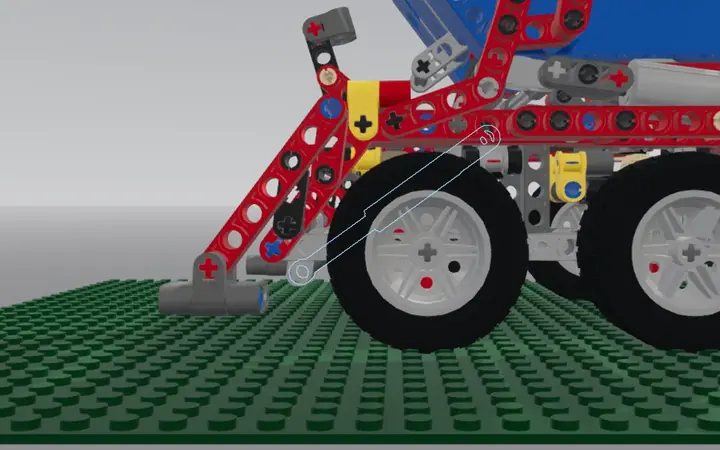
Hoses, tubes and chains
Make › Hose, tube or chain…, then click two pin holes (or two connectors) to lay a hose, a pneumatic tube, a string or a flexible axle between them along a natural curve; click round two sprockets for a chain. Make › Reshape the hose or chain drags a hose's bend, or puts a chain round other sprockets.
Rubber bands and springs
Pick a rubber belt in the parts bin, then click the pulleys, wheels, bushes or axles it goes round, in order round the loop. It wraps each one in its groove, on the side the loop turns, and says how far it is stretched. Pick a shock absorber in the bin, or Build › Hose, tube or chain…, Spring or shock, and click the two pin holes or pins it goes between. Its coil keeps its turns as it is stretched or squeezed. Move a part a band or a spring is on and it follows, in the same undo step. Both save in the file as LDraw parts.
Check stability
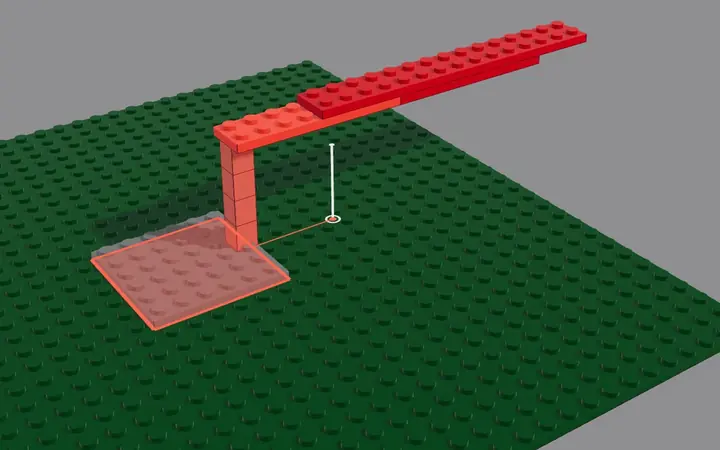
Tools › Check stability weighs the model: where its centre of mass is against its footprint, whether it would stand, and which joints carry more than they can hold. Those parts are selected and tinted, so you can see what to brace. View › Stress shows the same for every part as you build.
Simulate a mechanism
Tools › Simulate mechanism…, then click an axle or a crank: the gear train turns from it, and the panel says how fast each part goes, each arm's period, what locks it, and whether the model stays standing as it turns. It reads the model as it is and changes nothing.
It also says where the motion stops. Over the whole cycle it finds the first angle where two moving parts meet, names them and tints them red. It gives the range of a crank or a linkage in degrees. When a motor turns the train (Power Functions M, L or XL, an E-motor or a 9 V motor), it weighs the motor's torque against the load it lifts, and says where the motor stalls. Play and the slider stop there, and Go to the stop shows it.
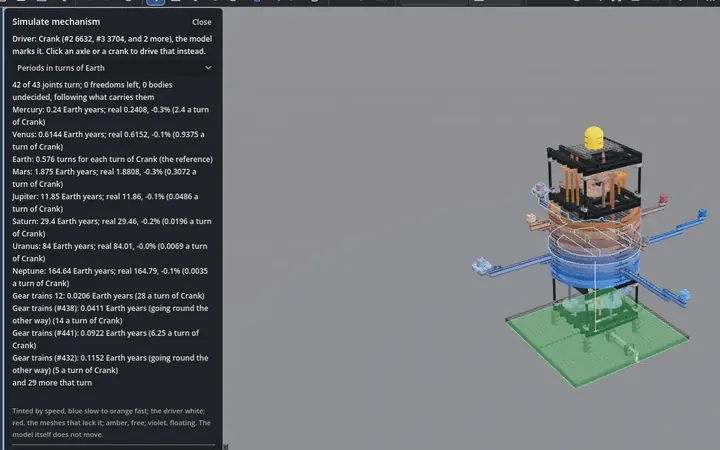
Claude can find a gear train for a ratio you need, from real gears on real axle spacings (search_gear_ratio).
Motions
A model can keep its own named movements in its file: Open the doors, Steer left and right, Lift the boom. Build › Motions… lists them, with suggestions from what moves in the model. Keep a suggestion, or press New motion, then Record and drag a part in the view, or set a joint's slider to put a key. Play and Play backwards run it. Anybody who opens your shared model can play them too.
Hidden colours
Tools › Colour the hidden parts… gives the parts nobody sees in the finished model a colour for each section, stage or side, as big sets do, so a builder can find their place. It shows a preview before it changes anything. It knows which parts can be seen from outside, through a gap or a clear window.