Connect your AI
Connect your AI
Bring the AI you already use to Brickworks: your AI app, Claude on your own key, or another AI on your own key, all in the web app.
Brickworks has no AI of its own: you bring yours, so it is never limited and Brickworks never bills for it, on any plan (Plans). Bring the AI app you already use, or a key from an AI provider; each works in the web app. Turn the assistant on first.
Turn the assistant on
Tools › Settings… (,), then under Assistant (AI) choose Show the assistant, or open the app with it on. A first visit builds by hand, and with Build by hand only chosen the assistant's panel, its menu commands and the connector are all gone from the window.
Your AI app
The AI app you already use builds in your open Brickworks tab while you talk to it there, on your plan with it. Every app adds Brickworks at the same address and signs in the same way; what differs is how it takes the address and which of its plans may. Each page says both, with the day we checked.
Chat apps
- ClaudeOne link opens it with Brickworks filled in.Every Claude plan: Free adds one custom connector, and on Team and Enterprise an Owner adds it.
- ChatGPTCopy the address and paste it in, on its own page.Business, Enterprise and Edu workspaces, where an admin or owner adds it; other plans may not offer it yet.
- GeminiCopy the address and paste it in, on its own page.Personal Google accounts in the US, 18 or over, in English, with Keep Activity on.
- Le ChatCopy the address and paste it in, on its own page.The workspace's admin adds it; on Free, Pro and Student that is you.
- PerplexityCopy the address and paste it in, on its own page.Pro, Max and Enterprise, on the web; not on phones yet.
- GrokCopy the address and paste it in, on its own page.Every Grok plan; on Business and Enterprise an admin allows it first.
In a terminal
- Claude CodeOne command, to run in a terminal.Every Claude plan with Claude Code; signed in with the same Claude account as claude.ai, it has the connector from there too.
- CodexOne command, to run in a terminal.Every ChatGPT plan; Enterprise admins may restrict it.
- Gemini CLIOne command, to run in a terminal.Paid Gemini Code Assist plans.
In a code editor
- CursorOne link opens it with Brickworks filled in.Every Cursor plan.
- VS CodeOne link opens it with Brickworks filled in.VS Code with GitHub Copilot; on Business and Enterprise an admin turns MCP on.
Any other app
Connect it from the app
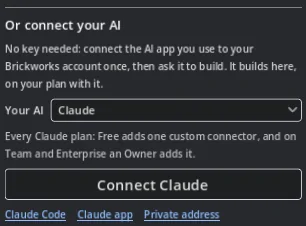
- Open Tools › Connect your AI…, or scroll to the foot of the assistant panel.
- Under Your AI, choose the app you use. Who can add it, and what it cannot do yet, is said under it.
- Press Connect (it names the app: Connect Claude, Connect ChatGPT). It opens the app's link, copies its command, or copies the address and opens its page, and says what to do there.
- The app sends you to Brickworks to sign in, with a code we email you, or straight on if this browser is signed in already. Press Allow.
- Ask it to build, in the app: "build a small red house in Brickworks".
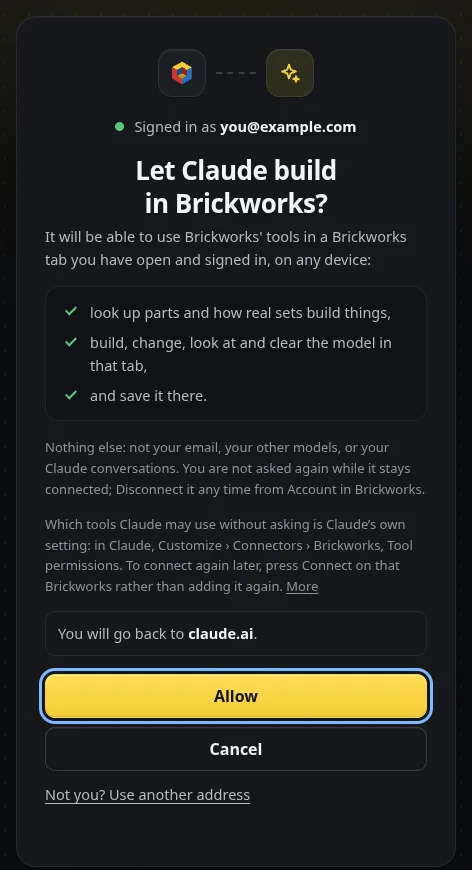
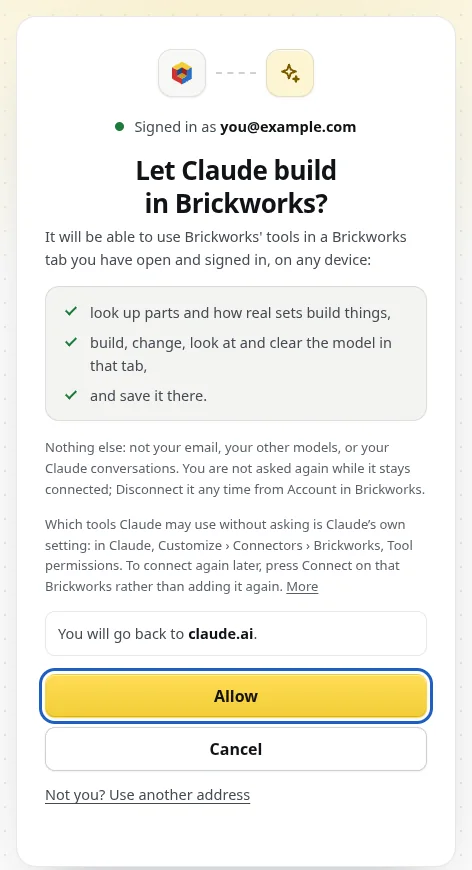
That is once for each app: it stays connected, for every Brickworks tab you open, until you disconnect it. Tabs, chats and long work are in The connector.
Change a model with your Claude
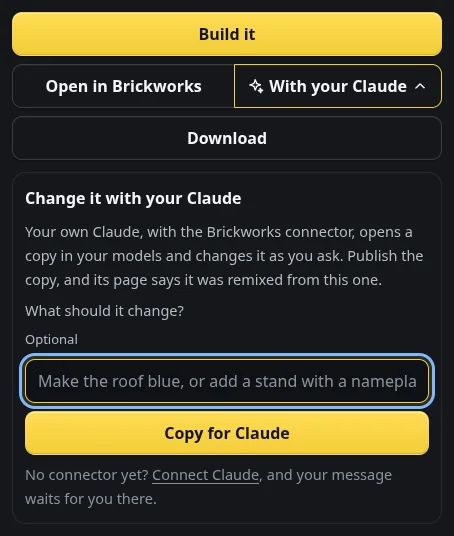
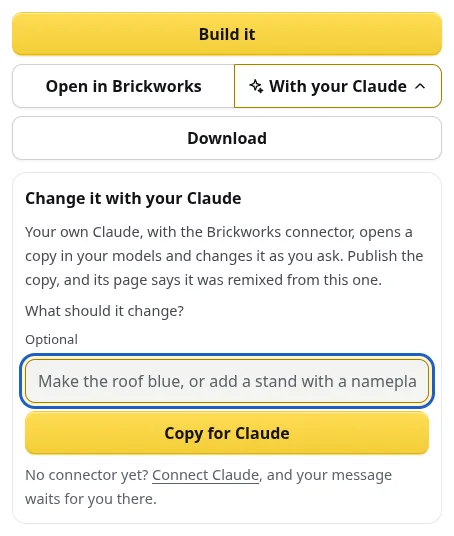
Every model's page has With your Claude beside Open in the studio (A model's page): say what to change, press Copy for Claude, and paste the message into a chat with Claude. It opens a copy in your models and changes it; publish the copy and its page credits the model it came from.
Came here from a model's page with Connect Claude? Your message is waiting at the top of this page: connect Claude as above, then press Copy it and paste it into a new chat there.
Claude on your own key
Pay as you go: Anthropic bills each design to your key.
- Make a key at console.anthropic.com, safest in a workspace of its own, with a spend limit, set to expire.
- Paste it into the assistant panel, under With your Anthropic API key, and press Use this key. It is checked with Anthropic before it is kept; untick Remember it on this device to keep it for this visit only.
- Describe what you want and press Build it (Designing with AI).
Measured at the default setting, a small house took 11 minutes and $2.40, and a castle 45 minutes and $5 to $10. Medium effort costs about a third.
Another AI on your own key
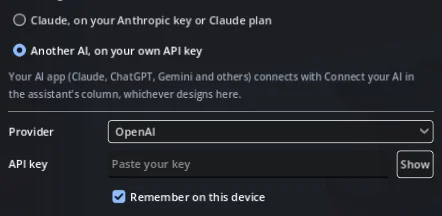
- Tools › Settings… (,), then AI: Claude… beside Assistant (AI). The link names who designs now.
- Choose Another AI, on your own API key.
- Provider: OpenAI, the Anthropic API, Google Gemini, OpenRouter, Mistral, Groq, Together, DeepSeek or xAI; Ollama, LM Studio or vLLM on your own computer; or any other server that speaks OpenAI's Chat Completions, at an Address you give.
- API key: paste it and press Enter. It is kept at once and the field cleared; its fingerprint (
sk-pro…abcd) says which key is kept. Show shows it as you type, untick Remember on this device to keep it for this visit only, and Forget the key deletes it. - Model: the provider's own list, asked for once there is a key. Type to filter it, or type a model's id and press Enter to use one not listed.
- Where the model takes them: Temperature (tick Set), Max output in tokens (0 is the model's own) and Reasoning.
- Test asks the model for one tool call and the colour of one small picture, for less than a cent, and says plainly what works: an AI that cannot call tools cannot design, and one that cannot see pictures cannot judge its own work.
- Design with it goes back to the assistant panel, ready for your brief. What changes when it designs: Another AI designing.
A model on your own computer
Ollama, LM Studio or vLLM on your computer answers the web app if it allows brickworks.diy (for Ollama, OLLAMA_ORIGINS), and the browser asks you first. A server elsewhere that is not in the list needs the desktop app, coming soon.
Where your key is kept
Settings says this beside the key, for where you are, and a key pasted in the assistant panel for Claude is kept the same way. Everywhere, a key is sent only to its provider (or the address you gave), never to Brickworks, and never logged or saved with a model.
| Where | How the key is kept |
|---|---|
| In a browser | In this browser's storage for brickworks.diy, scrambled but not secret: anyone using this browser could recover it, so untick Remember on a shared computer. |
| For this visit only | Nowhere on the device; gone when the tab closes. |
| The desktop app, coming soon | In the computer's keyring (GNOME Keyring or KWallet, the login Keychain, Windows Credential Manager), locked with your login; where none answers, in a file encrypted to that computer. |